What Are Push Notifications?
Push notifications can best be described as a unique communication channel for reaching users with quick, short updates, reminders, promotions, and various other messages. They are viewed in real-time and users often respond, react, or engage almost immediately.
The power of these notifications is that users can view them even when the device is locked, and they are not currently in your app. Push notifications are increasingly becoming an essential component of successful mobile marketing strategies.
Types of Push Notifications
In general, push notifications can be broken down into two categories: transactional and promotional.
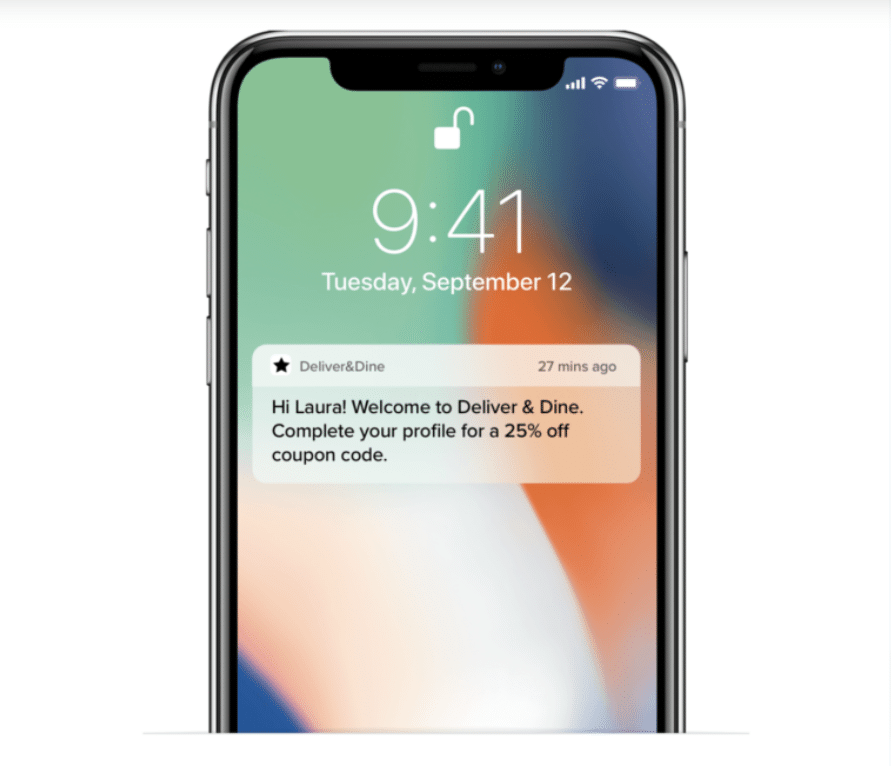
Transactional Notifications are messages you send depending on how a user interacts with your app. They usually include important or time-sensitive messages that provide expected or needed information, such as order updates, confirmations, payment status, and delivery status.
Specific examples of what may be in a transactional push include:
- Initial welcome messages
- Confirmations for an order or event registration
- Updates, especially about deliveries
- Password resets
- Security checks and two-factor authentication
- Abandoned cart push notification
- Reminders
- Geo-location notifications
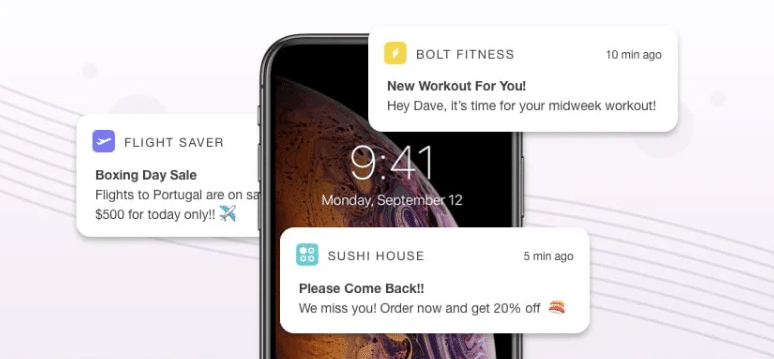
In contrast, promotional notifications are a strategic part of your overall digital marketing plan. These are sent to entice and engage users and, in turn, boost retention and revenue. Such notifications may include:
- Breaking news
- Promotions
- Flash sales
- Special offers
- Limited time deals
- Content to entice users to engage with your app
Push notifications can further be broken down depending on the type of device:
- Mobile app notifications: Those messages sent via a mobile app to users’ smartphones.
- Desktop notifications: Notifications that show up on a user’s desktop, usually through installed products on their computer.
- Web push notification: Messages sent from a web browser to a mobile device or desktop.
- Wearable device notifications: Messages a user receives on a wearable device.
How push notifications differ from text messages
Push notifications differ in distinct ways from text messages, including the delivery method and the objective.
There’s also this unspoken etiquette to push notifications that doesn’t really exist with texts. They pop up while you’re doing something else, a little invitation you can ignore or act on, and there’s less pressure than a text which might feel more direct or urgent. It’s a subtle distinction, but it changes how people perceive and interact with the message. Most folks actually expect apps to keep them updated through push notifications these days—think news, deliveries, or reminders—whereas a text can feel personal, and sometimes, a bit intrusive if it’s from a business instead of a friend.
Another interesting wrinkle: the analytics for pushes and texts are often measured differently. Marketers can see open rates, click-throughs, and even what time users most often engage. There’s something almost scientific about tweaking the wording or timing and watching the metrics shift, even if you’re probably making a few guesses along the way. If you’re running a campaign, it’s never quite as simple as “just send a message”—you’re always hunting for that sweet spot where benefit to the user lines up with the goals of your brand.
A consumer must first install or download your app to receive push notifications. For text messages, those same consumers must first opt in to receive such communications, but they do not need to download an app.
Also, when a user takes action to open your push message, they are taken straight to your app. This is not always the case with text messages.
Both push notifications and texts are beneficial to your brand messaging and knowing how they differ can help you focus on each one in different ways.
Benefits and Drawbacks of Push Notifications
We live in a mobile society, so finding ways to reach consumers on their smartphones is essential to a successful strategy. Some of the benefits of utilizing push notifications include:
- Showing up in real-time communication
- Boosting the visibility of your message, especially when someone is not currently active on your app
- Increasing user engagement
- Delivering timely messages
- Incorporating personalization and customization
- Increasing user loyalty and retention
- Helping you re-engage with users
- Boosting conversions and revenue by creating push campaigns about promos, discounts, limited-time deals, and customer loyalty rewards
As with most things in marketing, there are a few drawbacks to be aware of when using push notifications. These include:
- Some people perceive push notifications as intrusive.
- Push notifications are often blocked by default.
- It is easy for a user to mistakenly unsubscribe or block push notifications when updating, installing the operating system, or switching devices.
- Planning for an optimal frequency of notifications is challenging and may take several tweaks and tries before finding the right volume. You may lose several users in the process.
- The push notification’s text length and visual capacity are extremely limited and is an important skill to master.
How do Push Notifications Differ for iOS and Android Users?
How push notifications work will depend on the type of device a consumer uses.
iOS push notifications
The iOS platform requires a user to opt in to receive push notifications when they first launch the new app.
iOS users will first see a push notification on their lock screen. If they proceed to unlock their device, that push notification transfers to the Notification Center, where the user can delete or engage with that notification.
Android push notifications
On Android devices, there is no opt-in requirement. Users are automatically signed up to receive push notifications. To opt out, they must manually need to do so in the app’s settings.
Those with Android devices can also manage push notifications in different ways. They can set up types of group push notifications, set priorities, and select how they appear on the device.
Best Practices for Effective Push Notification Strategies
The challenge of using push notifications in your strategy is creating engaging, user-friendly messages that will boost engagement.
To help, try incorporating the following best practices into your push notification strategy.
Know your target audience.
Once you know your audience, create a framework for your marketing strategies that helps you utilize push notifications to the best of their potential.
Add personalization and customization
Customers today want to be recognized as individuals, and using personalization and customization in your push notifications can help. Use the recipient’s name, reference their past behavior on the app, or find other information that will be beneficial.
In turn, this improves the user’s experience, and you will likely see an increase in engagement. When adding such a personal touch, push notifications have been shown to improve reaction rates by 400%.
Incorporate strategic timing
Determine the best times to send your push notifications. This will often be based on the user’s time zone and app behavior. Tailoring the times you send notifications can improve reaction rates by up to 40%.
Avoid sending too many notifications. When this happens, there is a higher chance that users will ignore them or unsubscribe altogether.
Focus on the quality of your messages and not the quantity
The quality of the content you include in your messages is paramount. Always craft compelling content that users can relate to. Use these notifications to provide value to the user, such as offering access to rewards, promotions, and special content.
Be clear and concise
While you need to include compelling content, you must also be clear and concise. You only have so much space, and you want to be sure the recipient immediately understands your message.
Using ambiguous language or phrases can cause confusion and even irritation. People are busy, and they have short attention spans, so they expect you to get to the point quickly.
Include a clear CTA
Always be clear about what action you wish the reader to take. Use the push message to entice users to engage with you.
Utilize high-quality visuals
When possible, utilize high-quality images, videos, GIFs, and emojis. These will make your notifications more memorable and enticing. Such rich formats can boost reaction rates by 25%.
Track each push notification campaign
Tracking your campaigns can be very helpful, especially early on. Keep records of the click rate, conversions, and more.